Vista Tip 20: Removing Meta Data using Windows Explorer
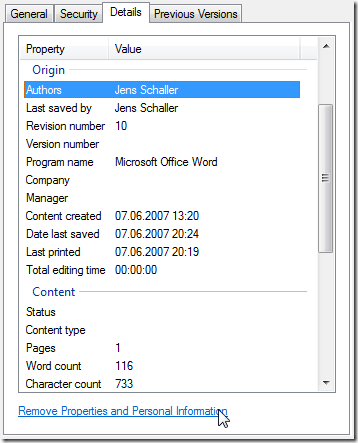
The meta data of files sometimes contains sensible information, which should be removed before e-mailing the file for example. Vista now has the built-in functionality to remove this meta data. Just open the context menu of a file and go to the Details tab. To remove the meta data, click on the Remove Properties and…
The meta data of files sometimes contains sensible information, which should be removed before e-mailing the file for example.
Vista now has the built-in functionality to remove this meta data. Just open the context menu of a file and go to the Details tab. To remove the meta data, click on the Remove Properties and Personal Information link at the bottom.